About CMPB
The CarveMe + ModelPolisher based (CMPB) workflow curates a model using refineGEMs and ModelPolisher.
The starting point is either the input files for CarveMe (future update) or an already built model.
This workflow aims at minimising the user’s workload by concatenating steps that could be done individually with the integrated tools.
Overview of the CMPB worfklow
The following image shows an overview of the steps of the worfklow:
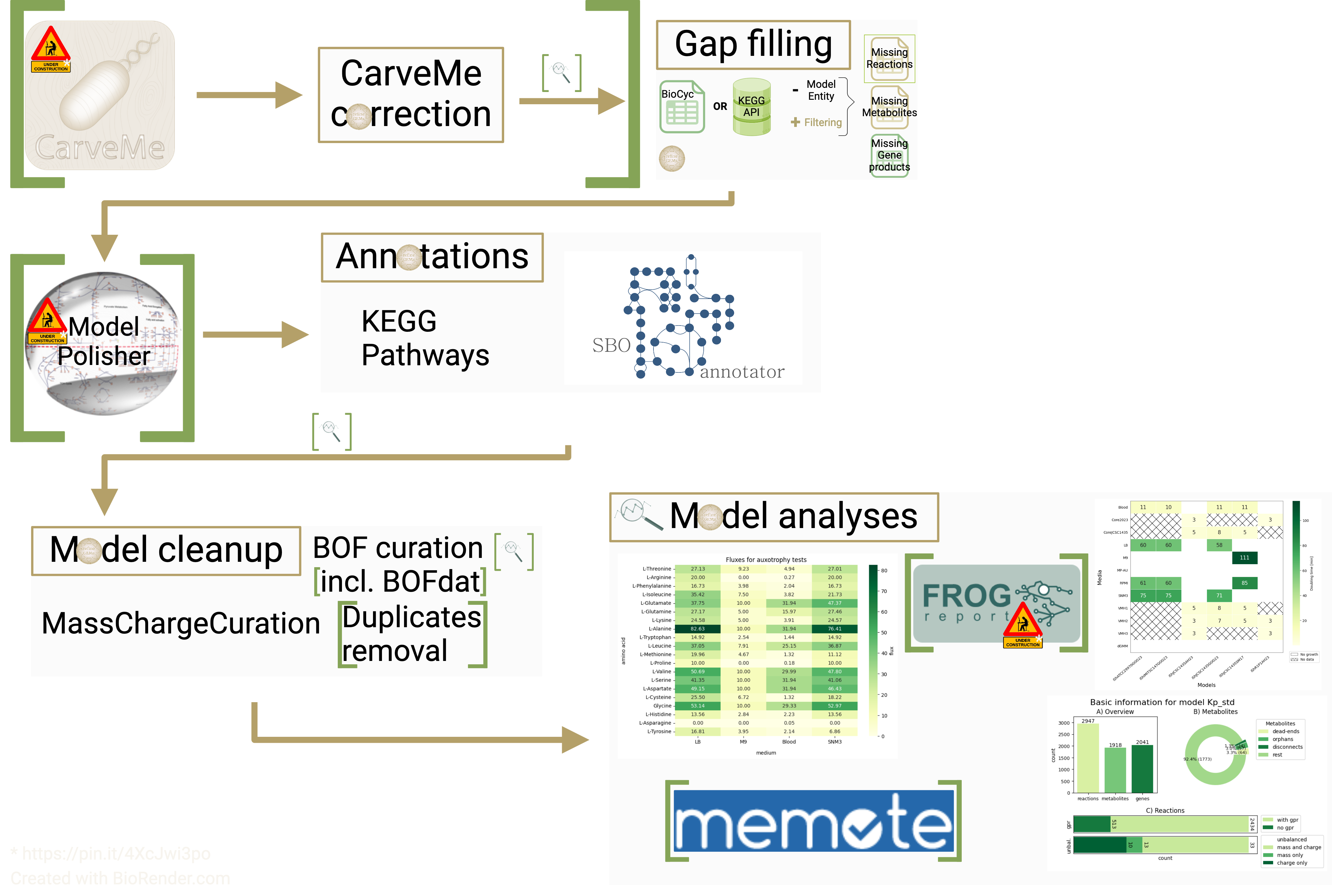
Fig. 1 Workflow from CaveMe to close-to-final model
The following steps are executed in the workflow:
Hint
All steps can also be performed individually.
Many of the steps of the worfklow can be fine tuned and turned off/on. Check the configuration file for a full list of all parameters.
Step 0: Possible inputs
Model (e.g. created with CarveMe)
Data to create a model with CarveMe
Step 1.A: If the model is/was built with
CarveMea correction is performed asCarveMeadds valuable information for example in the notes and not the corresponding fields of the SBML document.Step 1.B: The model is gap filled. The gap fill step includes all available algorithmns from the
refineGEMsgapfill module.Step 2:
ModelPolisheris used to enhance the annotation content (future update).Step 3: Annotations
Adding pathways as Groups from KEGG
Using
SBOannotatorto get more specific SBO term annotations
Step 4: Model cleanup
Using MassChargeCuration
Optionally: Using
BOFdatOptionally: Removing duplicates
Step 5: Model analyses
Model statistics
Analysing growth
Testing for amino acid auxotrophies
Optionally: Analysing with
FROG(future update)Optionally: Analysing with
MEMOTE
MEMOTE report can be saved.refineGEMs unless stated otherwise.Note
All accessible functions are listed in the Contents of SPECIMEN section.